


P.07 — AI · Agents · Platform
Agent Management Dashboard — Lumos
One platform to create, manage, govern and monitor agents, with an agent studio, a drag-and-drop workflow builder, MCP tools and secrets management.
- Role
- Associate Software Engineer · Lumos R&D
- Year
- 2025 — 26
- Company
- CodeGen International · Lumos

01 — Overview
Overview
The Agent Management Dashboard is Lumos's platform for creating, managing, governing and monitoring agents.
Its Agent Studio brings together an agent dashboard, an agent builder, a workflow builder and an execution playground. Agents connect to MCP tools, workflows run sequentially or hierarchically under a manager agent, and running agents are monitored in one place. The agents and workflows built here can be used across Lumos's other platforms and applications.
02 — How it works
From an agent to a governed workflow
Agents are configured, connected to tools, composed into workflows, tested and monitored, all in one platform.
- 01
Define
Name, goal, role, backstory, category, task description and expected output.
- 02
Choose a framework
Build each agent with LangGraph or CrewAI, and set its access permissions.
- 03
Connect tools
Attach MCP tools from connected MCP servers, or APIs converted into MCP tools.
- 04
Compose
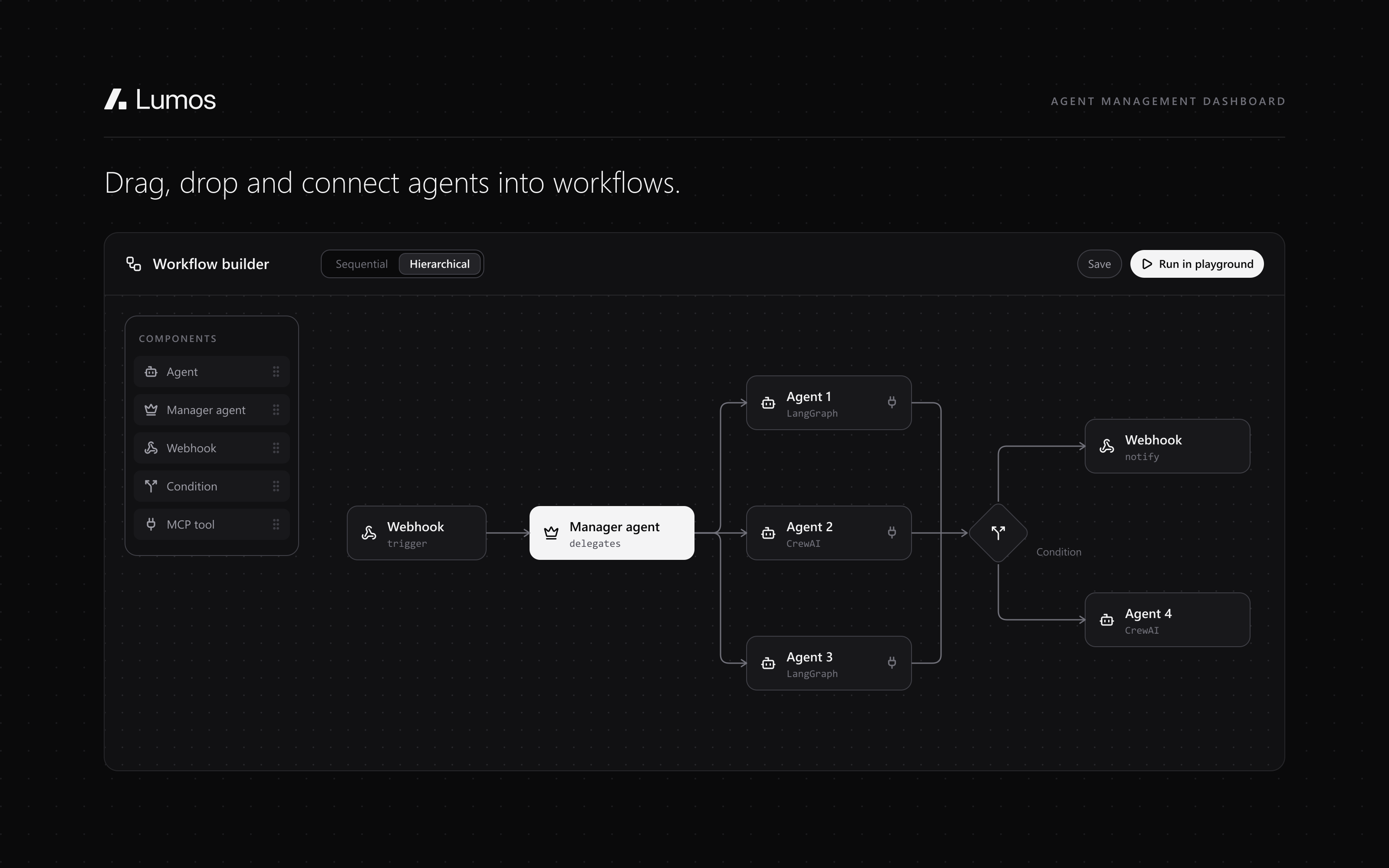
Drag and drop sequential or hierarchical workflows, with a manager agent, webhooks and conditional logic.
- 05
Test
Save workflows and test them in the execution playground.
- 06
Monitor
Session records, live executions, token usage and error counts.
03 — Features
Build, connect, govern.
01Agent Studio
An agent dashboard, agent builder, workflow builder and execution playground.
02Agent builder
Agents are configured by name, goal, role, backstory, category, task description, expected output and connected MCP tools, built with LangGraph or CrewAI, with access permissions at the agent level.
03MCP tools and API integration
External MCP servers connect through a dedicated UI, and their tools can then be used by agents. Any API can also be converted into an MCP tool.
04Workflow builder
A canvas to drag and drop components into sequential and hierarchical workflows, with a configurable manager agent, webhooks, conditional logic and other components. Workflows are saved and tested in the execution playground.
05Agent monitoring and governance
Session records, live execution views, token usage and error counts, to monitor, govern and improve running agents.
06Access permissions and secrets
Access permissions per agent, and OpenBao for managing MCP and tool secrets and keys through the platform.
04 — Technical depth
What it's built with, layer by layer.
- Frontend
- Next.js
- Backend
- FastAPI
- Database
- MongoDB
- Agent frameworks
- LangGraph · CrewAI
- Tools
- MCP · API-to-MCP conversion
- Secrets
- OpenBao
05 — Gallery
In pictures.
Internal product: its screens are under NDA, so these are illustrations of what it does, not its interface. Happy to walk through it in an interview.
06 — Outcome
Where it landed.
2
Agent frameworks
LangGraph and CrewAI
4
Studio tools
dashboard, builder, workflow builder and playground
2
Workflow types
sequential and hierarchical
The agents and workflows created here can be used across Lumos's other platforms and applications, monitored, permissioned and with their secrets managed in one place.